Guest mode is off
This page is not turned on right now. Ask your hosts if you expected it to be.
Enter your stay code
The code is on the TV in 213, under the HomeControl app. It works until checkout.
You are offline
Join the Wi-Fi here, then try again. The network name and password are on the TV screen.
Garden Retreat - 213 Dolores
Welcome
Your house guide: lights, TV, house rules and the neighborhood.
The house
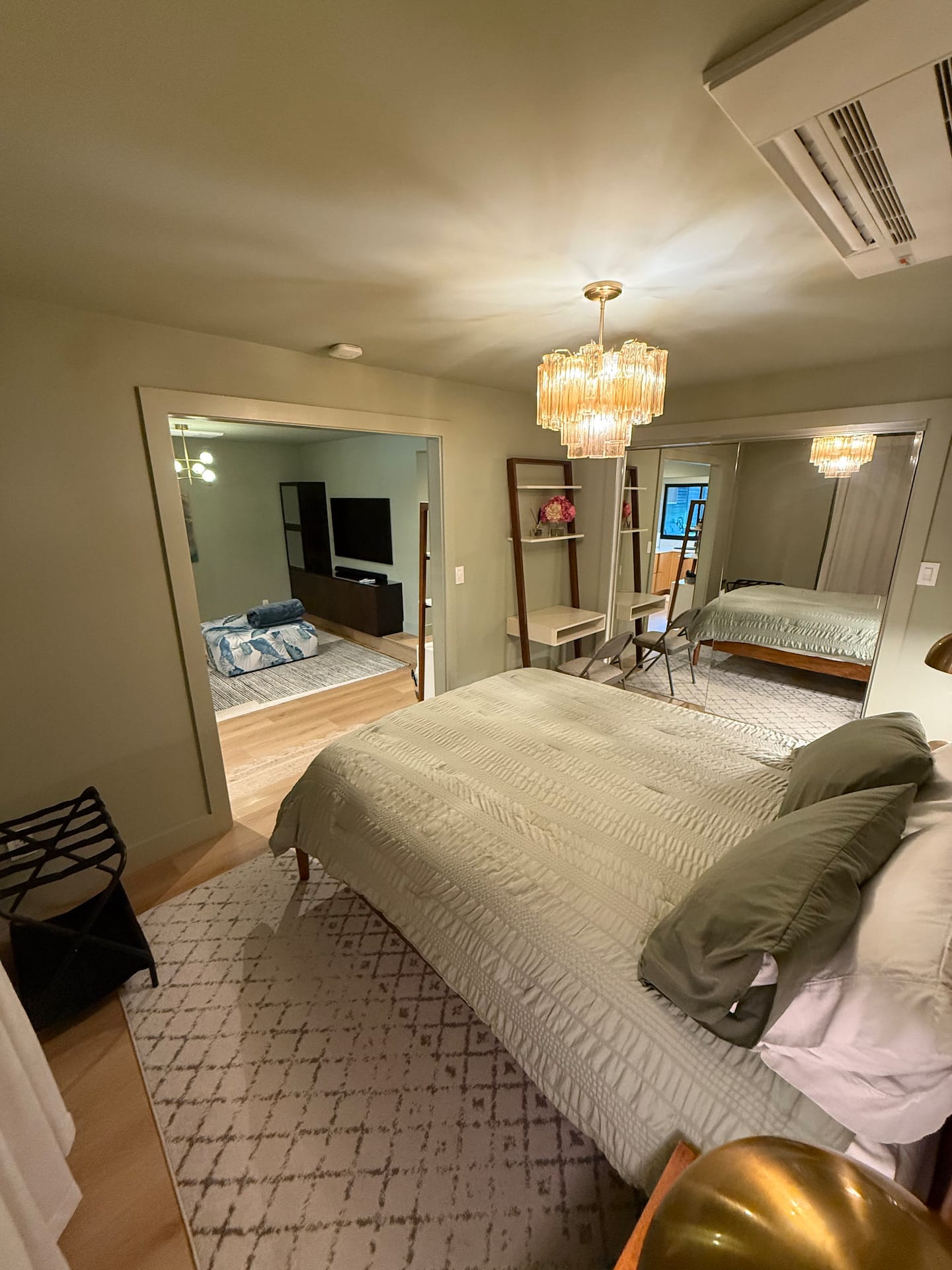
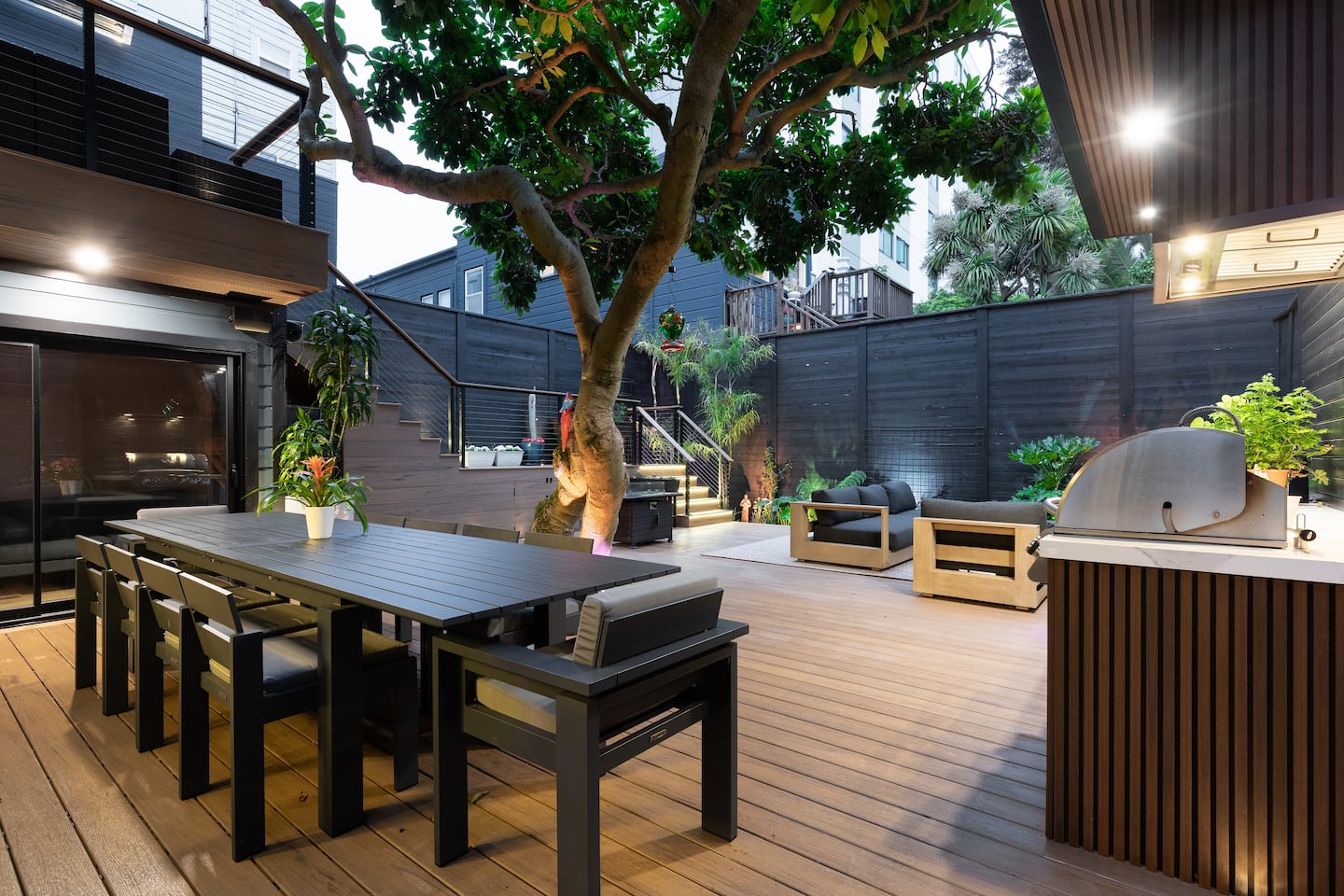
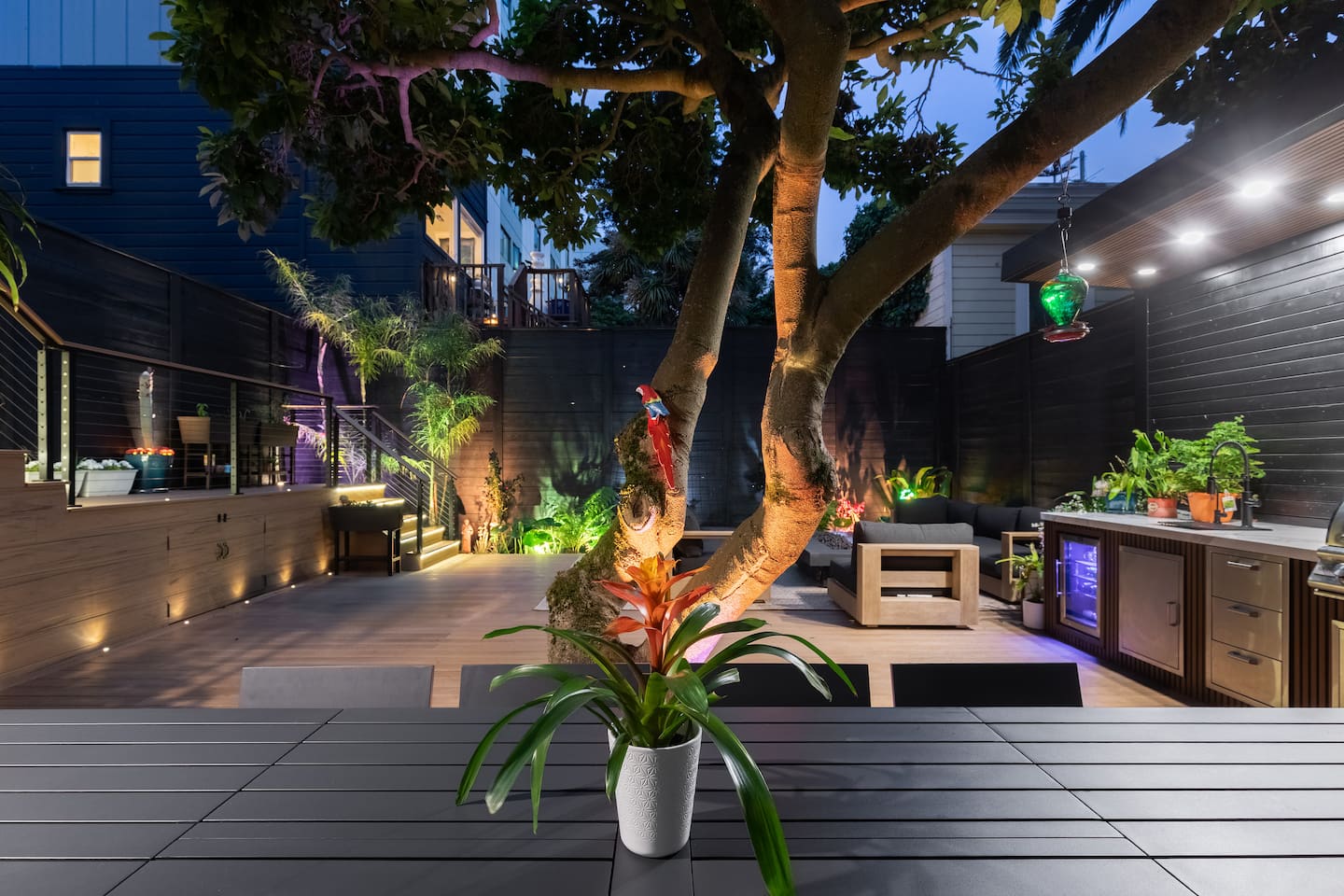
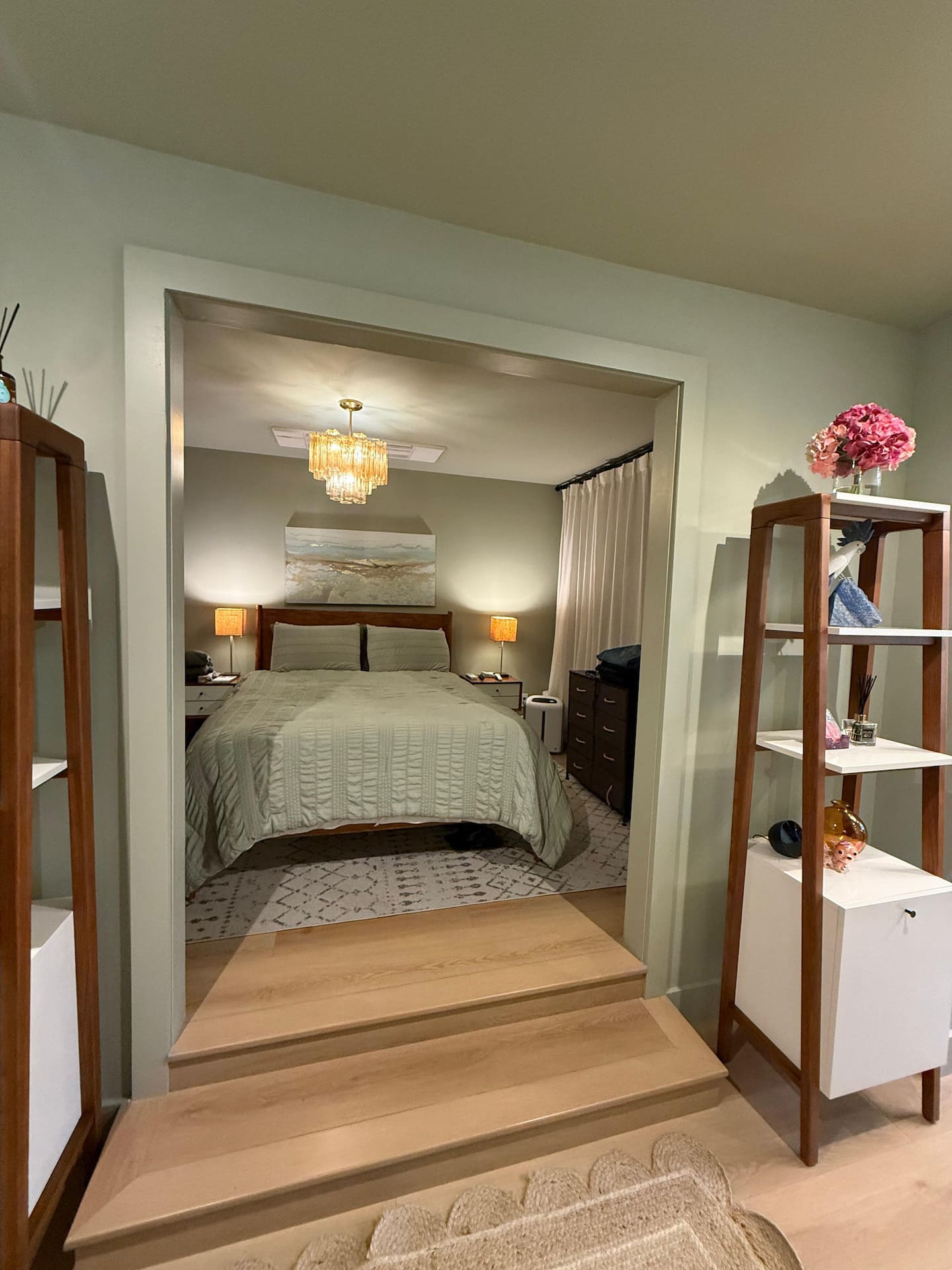
Garden Retreat: sauna and garden. Swipe for photos; tap one to open it large.
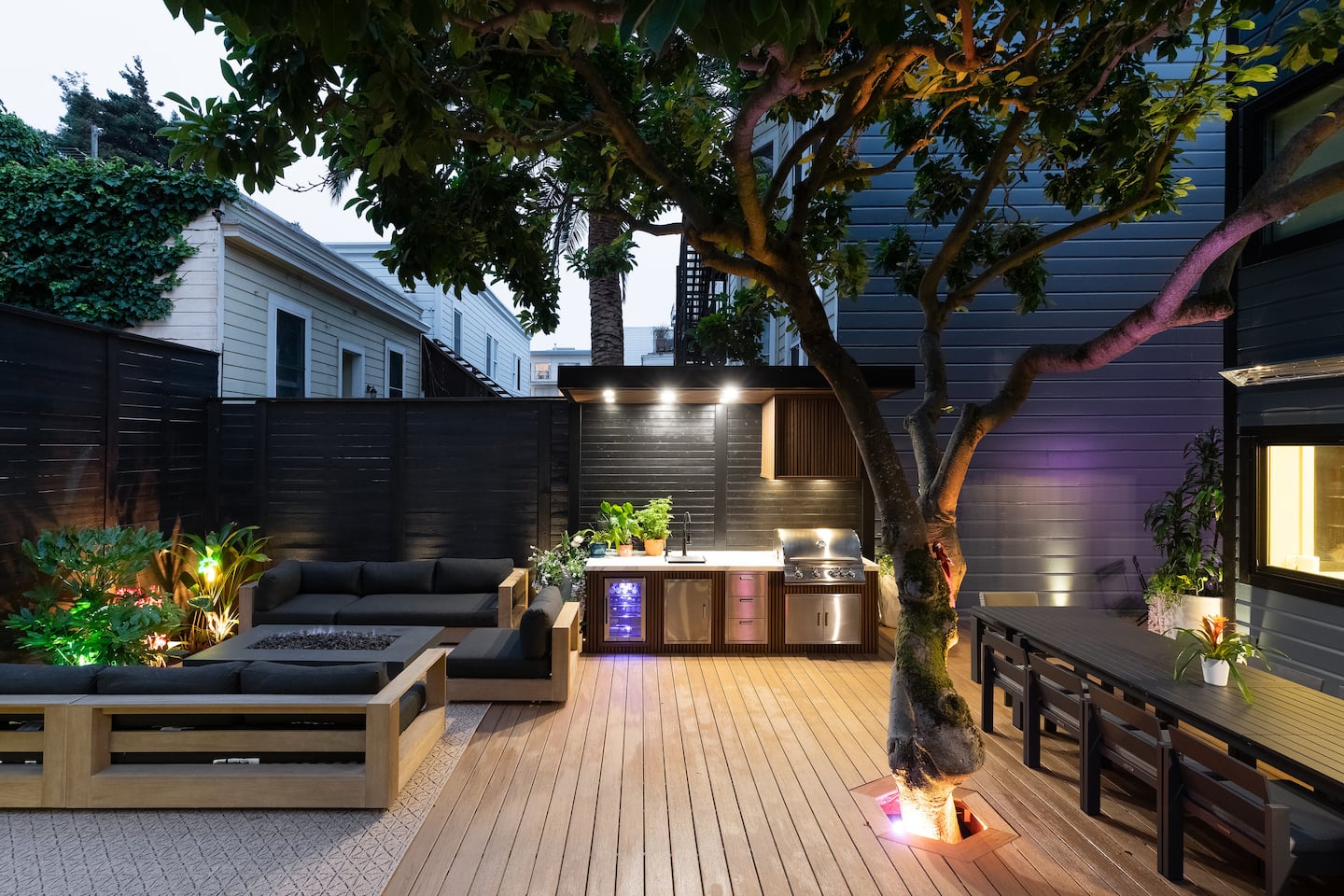
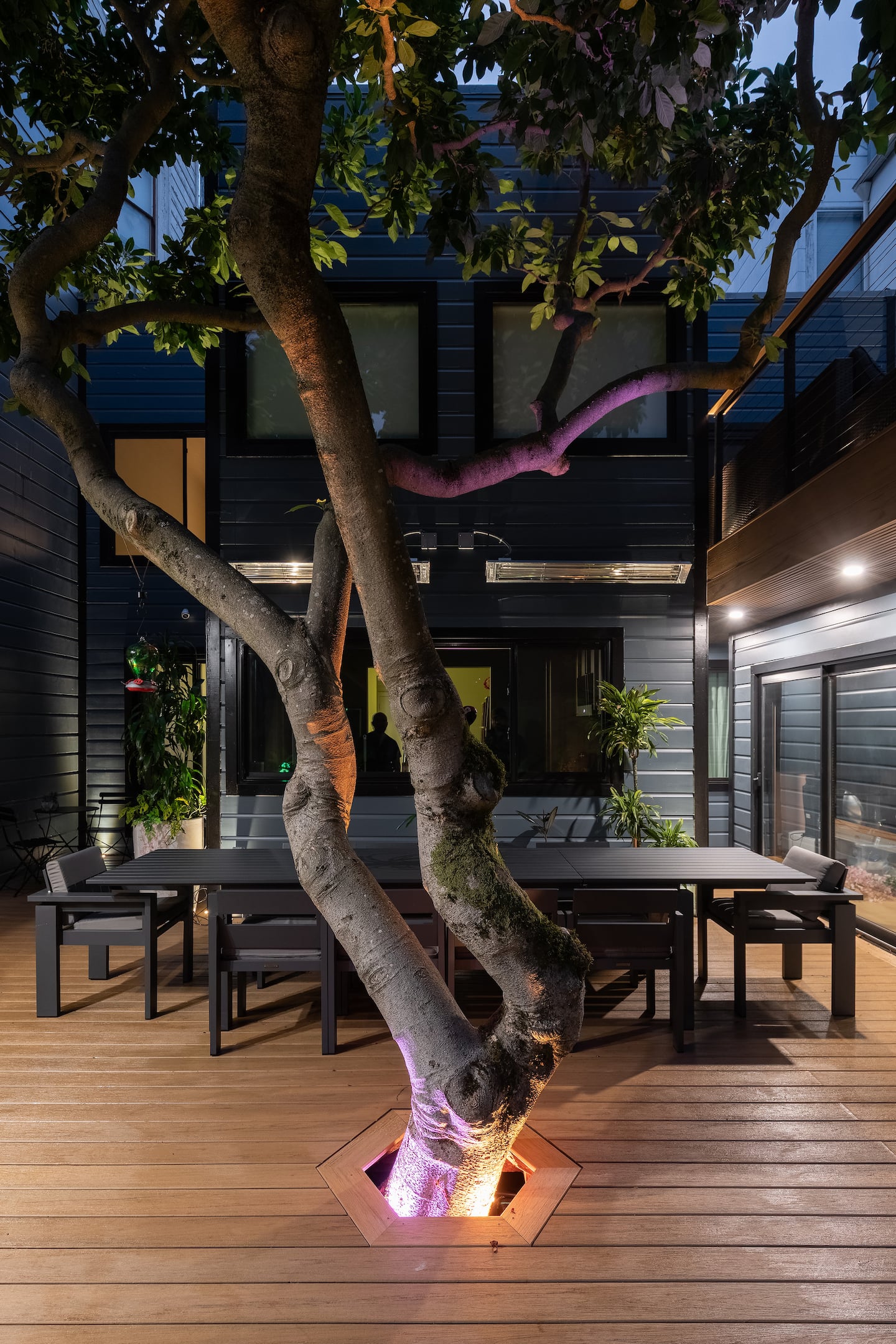
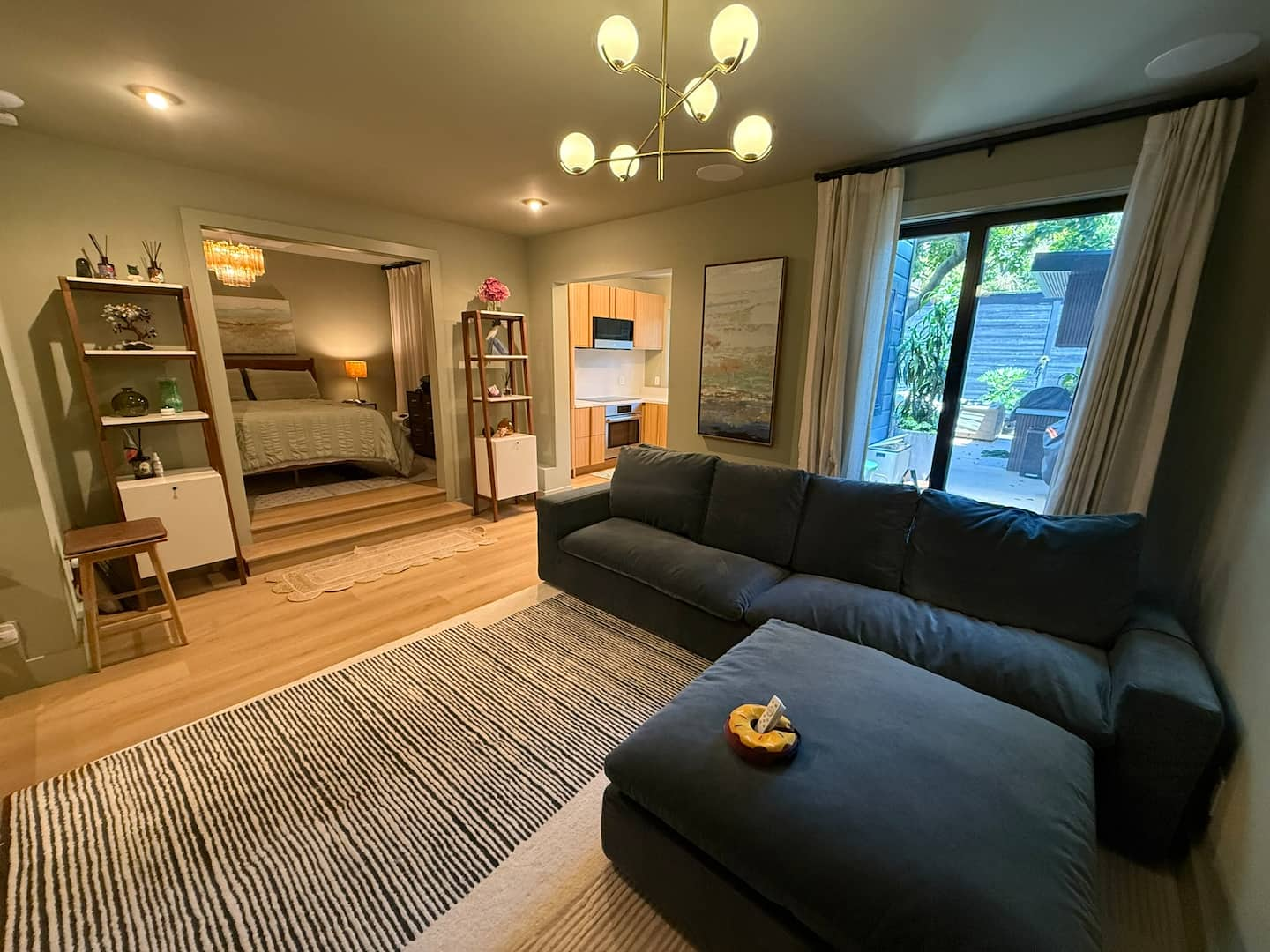
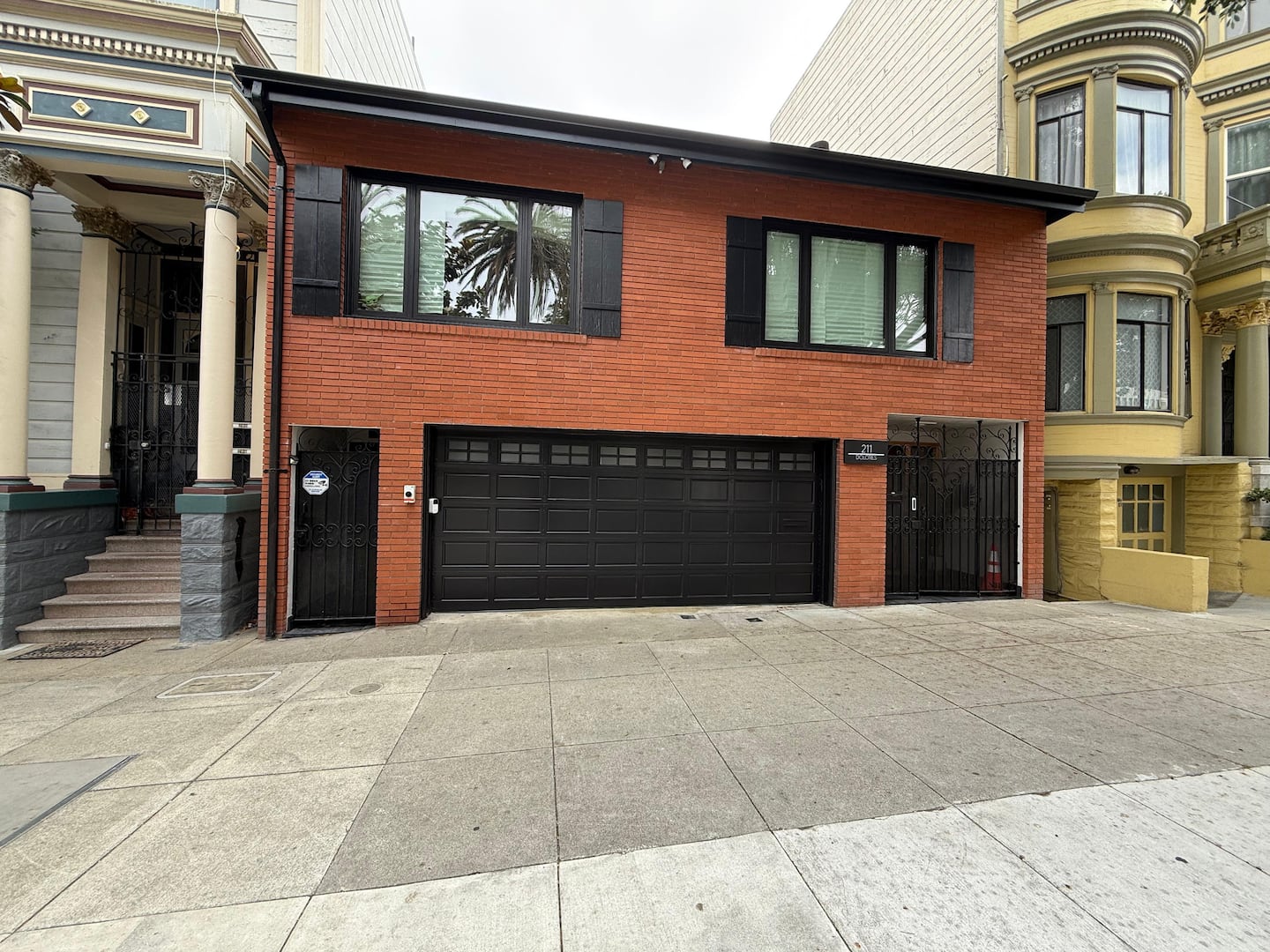
Registration 2025-006911STR
Lights
Your colour
Every colour light changes to it. Your choice is kept until you check out.
Fade
Tap a room to turn it on or off. The arrow on a room opens brightness, colour and its single lights.
Loading the lights
Every light also works from its wall switch, even with no internet.
Heat and AC
Each unit also works from its own remote, even with no internet. A change can take a little while to show here.
Doors
This page only shows whether each door is open or shut. Shut does not mean locked, and nothing here locks or opens a door. A change can take a few seconds to show.
Watch TV
To show your phone on the TV, your phone must be on the Wi-Fi here. The network name and password are on the TV screen.
- iPhone: swipe down from the top-right corner, tap Screen Mirroring, and pick the TV. If a code appears on the TV, enter it on your phone.
- YouTube: tap the cast icon in the app and pick the TV.
- Netflix and other paid apps: open the app on the Roku and sign in. Roku Guest Mode signs you out at checkout.
Muni and nearby
- 3E-bikes ready (number on the pin)
- 1Few left
- 0None now
- JMuni on its way (live)
- ★Our pick
- HHome
Muni positions are live and update every few minutes. Colored lines are the routes of the Muni lines serving our stops. Map: OpenFreeMap, OpenMapTiles data, © OpenStreetMap contributors.
Muni system map (SFMTA)
Live Muni vehicles heading to our stops, drawn on SFMTA's printed map. Positions are approximate: usually within 30 m, sometimes off by up to 150 m. Map: SFMTA.
Getting around
- J Church (Muni Metro): runs along Dolores St, a 3 to 5 minute walk.
- BART: 16th St Mission station, about a 10 minute walk along 16th St. Red and Yellow lines, plus Blue and Green at some times.
- All Muni lines: Full Muni map (SFMTA).
Muni
Loading
Bay Wheels bikes
Loading
How to ride a Bay Wheels bike
- Get the Lyft Bike app with the buttons above, or use the Lyft app (Bay Wheels is now called Lyft Bike), and add a card.
- At a station, tap Unlock in the app and scan the code on the bike. The app shows the price before you ride.
- End the ride by locking the bike into any open dock, then check the app says the ride ended.
Paying for Muni
- Easiest: tap a contactless bank card, or the card in your phone wallet, on the reader when you board. Use the same card each time.
- Clipper: add a Clipper card to Apple Wallet or Google Wallet and tap your phone.
- Day passes and visitor passes: in the MuniMobile app.
- Cash: exact change only, on the bus or train.
Fares change; see sfmta.com/fares for today's prices.
Tips for getting around
- The J Church on Dolores St goes downtown along Market St, underground from Church St.
- For the airport, take BART from 16th St Mission straight to SFO.
- San Francisco is hilly. An e-bike makes the climbs easy, and Dolores Park is a short walk.
- Wait for the light at crossings; Muni trains share the street on Church St.
- If you drive, leave nothing visible in a parked car.
Our picks
Live times and the map need internet.
House rules
A question about a rule? Message us in the Airbnb app.
The basics 5
No smoking or vaping anywhere on the property, indoors or outdoors.
Quiet hours are 11 PM to 7 AM.
No pets. Service animals are welcome under Airbnb's policy.
Day visitors are welcome until 10 PM. Tell us in the Airbnb chat before they arrive.
No parties or events, unless arranged with the host in advance, at an extra cost.
Spaces you can use 5
You may park in the one-car spot in front of the black garage. If you get a parking ticket in that spot, the host pays it.
Guests may use the lower deck only.
You may use the outdoor chairs and tables. Please cover them again after use.
The storage room is private. Guests do not have access.
The garage is locked and not for guest use. The bikes stay in the garage and are not available to guests.
Please take care 10
The extra refrigerator holds the host's drinks. Please do not take items from it.
Do not unplug the mosquito trap.
Do not move or remove the ant traps (small bait stations).
Makeup-remover wipes are in each bathroom. Stains on sheets or towels from makeup will be charged.
If you break a decorative object or equipment, tell us in the Airbnb chat. The guest pays the cost.
If an outlet stops working, press the reset button on the outlet.
Do not touch the controls inside the TV cabinet.
Please sort your trash into the three bins outside the kitchen window: blue for recycling, green for compost, black for everything else.
Compost (green bin): food scraps, dirty paper containers, paper towels and tissues, plants and flowers, and products labeled compostable.
Put the outdoor furniture cushions back in their covered position after use.
Safety 3
Fire extinguishers: one inside, one outside. Use only in an emergency, then tell us in the Airbnb chat.
If you use the fire pit or the outdoor heater, turn off the gas when you are done.
In an emergency, call 911.
At checkout 2
At checkout, please leave used towels on the shower floor.
Leave the safe closed but unlocked.
Good to know 3
There are a few steps inside: one down into the living room and two up to the bedroom. The couch sits low.
The kitchen is simple on purpose. We have a full pantry upstairs, so message us if you need basics or extra cooking supplies.
The washer and dryer are free to use. Detergent is included.
Registration 2025-006911STR
How to
Wi-Fi
How to use
- Look at the TV. The guide screen shows the Wi-Fi name and a code to scan. The cards change every 15 seconds, so wait for the Wi-Fi card.
- Point your phone camera at the code on the TV to join, or type the name and password shown.
- Once you are on the Wi-Fi, open the HomeControl app for lights and the TV.
Please don't
- Please don't share the Wi-Fi details with people who are not staying here. Anyone on the Wi-Fi can use the unit's lights.
If something goes wrong
Internet, TV or network problems: message us in the Airbnb chat. We handle the provider and any technician. If the TV does not show the guide, tap Guide in the HomeControl app, or press Home on the Roku remote and wait.
The TV (Samsung The Frame)
How to use
- When nobody is watching, the TV shows our guide (Wi-Fi, tips, weather, bus times) or a picture. This is normal. It changes by itself and needs no buttons.
- To watch, press Home on the Roku remote.
- To see the guide again, tap Guide in the HomeControl app.
- Late at night the screen dims and shows only a clock.
- The screen may get brighter or darker by itself to match the light in the room. The sensor on the front also wakes or sleeps the picture when it sees movement.
Please don't
- Please don't touch the controls inside the TV cabinet.
- Please don't cover the sensor on the front of the TV.
If something goes wrong
Message us in the Airbnb chat. We handle the internet provider and any technician.
Roku and your own apps
How to use
- Pick up the Roku remote and press Home. The TV switches to the Roku.
- If the Roku asks for a checkout date, pick your checkout day with OK, then select Checkout. Your apps sign out by themselves at 11 AM that day.
- Sign in to your own apps (YouTube, Netflix and so on), or play from your iPhone instead.
- To play from an iPhone: join the Wi-Fi shown on the TV, open a video or music app, tap the AirPlay icon (some apps hide it under Share), and pick the Roku. Press Home on the remote to stop.
- Some apps, such as Netflix, do not allow AirPlay to the Roku. Sign in on the TV for those.
- Leaving early? Press Home, open Guest Mode Options, choose Sign out and clear info, and confirm.
- If the remote stops answering, put in two new AAA batteries (negative end first, same brand). Still nothing? Message us.
Please don't
- Please don't reset the Roku or change its settings or network.
- Please don't unplug the Roku stick.
- Please sign out of your accounts if you leave before 11 AM on your checkout day.
If something goes wrong
Message us in the Airbnb chat. TV and network problems are ours to fix.
Trash, recycling and compost
San Francisco asks everyone to sort. There are three bins outside the kitchen window.
How to use
- Collect trash in the bins under the kitchen sink. Carry it out when it is full.
- Blue bin is for recycling. Put things in loose, not in a bag, and keep them clean and dry. Examples: cans, glass bottles and jars, plastic bottles with caps, plastic tubs, clean cardboard and paper, paper milk and juice cartons.
- Green bin is for compost. Examples: food scraps, coffee grounds, tea leaves, eggshells, leftovers, meat and bones, greasy pizza boxes, used napkins, paper towels and tissues, flowers and plants, and products labeled compostable.
- Black bin is for everything else. Examples: plastic bags and wrappers, foam, diapers, broken dishes and drinking glasses, dental floss, sponges.
Please don't
- Please don't put liquids in any bin.
- Please don't put plastic bags in the blue or green bin. Put food in loose.
- Please don't put glass in the green bin.
- Please don't put batteries or electronics in any bin. Message us and we will take care of them.
If something goes wrong
Not sure which bin? Ask us in the Airbnb chat.
Outlets
How to use
- If an outlet stops working, look for the reset button on the outlet itself.
- Press the reset button.
- Plug your device in again.
Please don't
- Please don't unplug the mosquito trap.
- Please don't move or remove the small ant bait stations.
If something goes wrong
If the outlet still has no power after the reset, message us in the Airbnb chat.
Safe
The safe is in the white cabinet in the living room.
- To open, enter your safe code and press #.
- Turn the knob clockwise.
- To lock, close the door and turn the knob counterclockwise.
At checkout, leave it closed but unlocked.
Siri (HomePod)
- Say "Hey Siri", then ask.
- Lights: "Hey Siri, turn on the kitchen lights", "turn off all lights", "set the bedroom lights to 30 percent". The rooms are Bedroom, Living room, Foyer, Kitchen and Bathroom.
- Colour: "Hey Siri, make the lights blue" (only the colour bulbs change).
- Scenes: "Hey Siri, turn on Good night", "Welcome home", "Movie time" or "Lights out".
- TV: "Hey Siri, turn on the TV" or "turn off the TV".
- Timers and music work too: "Hey Siri, set a timer for 10 minutes".
The HomePod only controls this unit's lights, scenes and TV. It listens for "Hey Siri". Please don't unplug it.
Help
Any question: message us in the Airbnb app.
Internet, TV or network problems: message us in the Airbnb chat. We handle the provider and any technician.
When the host is traveling, our team answers your messages in the Airbnb chat as co-host.
Emergency: call 911Wi-Fi for your other devices: the network name and password are on the TV screen.
Tell us
Goes only to your hosts.
This guide
Add this guide to your Home ScreenAdd to your Home Screen
The guide then opens full screen from its own icon, like an app. Android or iPhone?